If you’ve been using AI tools like Claude Code or ChatGPT, you’ve probably been doing the same thing everyone else does: you type something, the AI responds, and you type again. Back and forth. One message at a time.
That’s called prompting. And for a long time, it was the skill. Write better prompts, get better results.
But something shifted in June 2026, and it now has a name: loop engineering.
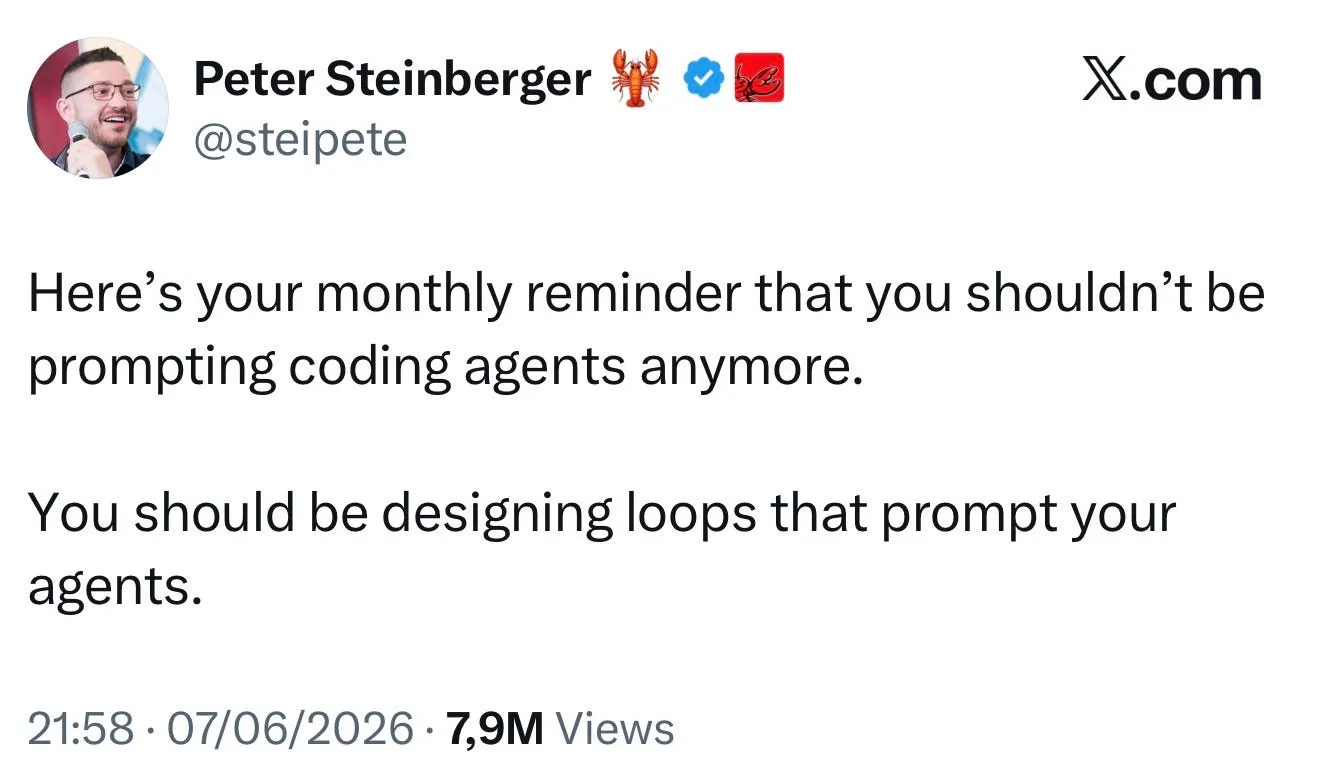
On June 7, 2026, OpenAI engineer Peter Steinberger posted two sentences that hit 6.5 million views on X:
“You shouldn’t be prompting coding agents anymore. You should be designing loops that prompt your agents.”
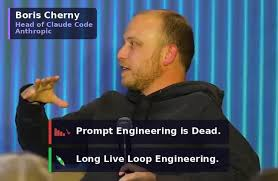
That same week, Boris Cherny, the creator and head of Claude Code at Anthropic, said something nearly identical at the WorkOS Acquired Unplugged conference on June 2, 2026:
“I don’t prompt Claude anymore. I have loops running that prompt Claude, and figuring out what to do. My job is to write loops.”
Google engineer Addy Osmani then published a widely shared article that named the pattern “loop engineering” and laid out its architecture. Three practitioners from three of the most influential companies in AI, all saying the same thing in the same week.
That’s not a coincidence. It’s a signal.
Loop engineering is the discipline of designing self-running AI workflows, so instead of you manually prompting an AI at each step, you build a system that prompts the AI for you, checks the results, and keeps going until the job is done.
The word “loop” comes from the fact that it cycles: the AI does something, a control system checks the result, feeds that back in, and goes again, over and over, until a defined goal is reached.
Think of it as moving from operating an AI tool to designing the system that operates it.
Imagine you hire someone to sort your emails every morning.
Option A (Prompting): Every morning, you sit with them, read each email out loud, and tell them what to do with it. One by one. You’re there the whole time.
Option B (Loop Engineering): You spend one afternoon writing them a clear guide on what to look for, how to categorize things, what to flag, and what to ignore. After that, they do it every morning without you.
Option A is prompting. Option B is loop engineering. You designed the system once. Now it runs on its own.
Here’s the difference in practice. Imagine you’re a software developer who wants an AI to check your codebase for bugs every morning.
Without loop engineering:
You are doing a lot of work. The AI is a tool you’re holding every second.
With loop engineering, you set it up once:
You wake up, coffee in hand, and the work is already done. You just review and approve.
Every loop has six core components. These map to the primitives that Claude Code and OpenAI Codex now ship natively.
What starts the loop? It could be a schedule (/loop or cron: “run every morning at 8 am”), an event (“run whenever new code is pushed to GitHub”), or a condition (“run until all tests pass”).
Without a trigger, you’re still starting things manually.
This tells the loop when to stop. In Claude Code, the /goal command (added in v2.1.139, May 11, 2026) lets you define a verifiable condition like “all tests in test/auth pass and lint is clean.”
Critically, a separate, faster model grades this completion condition — not the same agent that did the work. Without a clear goal, a loop either runs forever or stops too early.
Every time Claude starts a new session, it starts with zero memory of your project. Skills are documents you write once that tell Claude everything it needs to know: your coding standards, architecture decisions, whatnot to do. In Claude Code, this lives in CLAUDE.md, a project-level markdown file read automatically at the start of every session. When a loop makes a repeated mistake, the correct response (as Cherny described) is to have the agent write the lesson back into CLAUDE.md so the correction propagates to every future session. Without skills, every loop run is day one.
If you run multiple AI agents in parallel, they’ll step on each other, editing the same files and overwriting each other’s work. Git worktrees keep each agent in its own isolated checkout while sharing history. Claude Code ships a –worktree flag and an isolation: worktree setting for sub-agents. Parallel work without isolation is a merge disaster waiting to happen.
Without connectors, a loop can only suggest; it can’t act. MCP (Model Context Protocol) connectors plug the loop into real tools: GitHub, Slack, Jira, Linear, databases, and APIs. This is what lets the loop open PRs, send messages, update tickets, and trigger runbooks. MCP has become the common substrate across both Claude Code and OpenAI Codex.
Claude forgets everything between sessions. Memory is a file or document that lives outside Claude and records what happened, what was tried, what worked, what failed, and what’s still open. The next time the loop runs, it reads this file and picks up where it left off. Without memory, every loop run starts from scratch.
The most enthusiastic coverage of loop engineering tends to skip the sharpest parts of the original discourse. Here’s what the practitioners actually said:
Token costs compound. Token spend in autonomous agent loops compounds much faster than most developers expect, often 10x what a single-turn prompt would cost. Budget guards and cost estimators (tools like loop-cost) aren’t optional; they’re essential.
An unattended loop is a loop making mistakes at scale. Addy Osmani’s essay included an explicit warning: a loop running without a verifier ships bugs with high confidence. The verifier sub-agent isn’t a nice-to-have. It’s what separates a loop from an expensive mistake machine.
Comprehension debt is real. Osmani’s sharpest warning concerns what he called comprehension debt, the gap that widens when a system ships code you never read. Two engineers can run identical loops and get opposite outcomes: one moving faster on work they understand, the other avoiding understanding altogether.
Here’s what people get wrong about loop engineering: they think it means AI does everything and you do nothing.
That’s not it.
Your job doesn’t disappear. It changes.
Here’s what people get wrong about loop engineering: they think it means AI does everything and you do nothing.
That’s not it.
Your job doesn’t disappear. It changes.
Before loop engineering, your job was to talk to AI, read the response, and talk to AI again.
After loop engineering, your job is to design the system, review what it produces, and catch what it gets wrong.
You move from being the person who operates the tool to the person who designs how the tool operates. That’s a harder, more valuable job, not an easier one.
As Addy Osmani put it, “That’s what makes loop design harder than prompt engineering, not easier. Cherny’s point isn’t that the work got easier. It’s that the leverage point moved.”
, your job was to talk to AI, read the response, and talk to AI again.
After loop engineering, your job is to design the system, review what it produces, and catch what it gets wrong.
You move from being the person who operates the tool to the person who designs how the tool operates. That’s a harder, more valuable job, not an easier one.
As Addy Osmani put it, “That’s what makes loop design harder than prompt engineering, not easier. Cherny’s point isn’t that the work got easier. It’s that the leverage point moved.”
A few things worth clearing up:
It’s not just automation. Traditional automation (cron jobs, bash scripts) runs a fixed sequence of steps. A loop reasons about what to do next based on what just happened. The scheduling layer might be cron; Boris literally runs loops on cron, but the decision logic in the middle is a model that reads the current state and chooses its next action. That’s what separates it.
It’s not AI replacing you. The loop makes mistakes. It needs to be reviewed. It needs you to have designed it well in the first place. An unreviewed loop running unattended is just a machine making mistakes at scale.
It’s not only for large teams. Individual developers are using this today with Claude Code. Boris Cherny reported that in the 30 days before December 2025, 100% of his contributions to Claude Code were written by Claude Code, and 259 PRs landed. He deleted his IDE in November 2025 and has not opened it since. You don’t need a team or a big budget to start; you need a clear goal and a properly designed loop.
| Aspect | Prompt Engineering | Loop Engineering |
|---|---|---|
| Your Role | Operator | Architect |
| AI Interaction | Manual, turn-by-turn | Automated and continuous |
| Memory | Session only | Persistent (CLAUDE.md, files) |
| Error Handling | You identify and correct errors | The verifier agent detects and handles errors |
| Scale | One task at a time | Parallel, overnight, and recurring workflows |
| Entry Point | A well-crafted prompt | A well-designed system |
Right now, loop engineering is most actively discussed in software development, using AI coding agents like Claude Code and OpenAI Codex to automate parts of the development workflow.
But the concept applies anywhere you have a repetitive, multi-step process where AI can help:
The people building this recommend starting small, not by trying to automate your entire workflow on day one.
1. Pick one recurring task that you currently do manually with AI (daily triage, code review, report generation)
2. Write your CLAUDE.md document: what Claude needs to know about your project, standards, and what to avoid
3. Define a verifiable goal — a condition that can be checked programmatically, not just “do a good job.”
4. Add a single verifier sub-agent — a separate model that checks the output before anything gets committed or sent
5. Set a token budget — before the loop has proven itself, cap what it can spend per run
6. Review everything in the first week — comprehension debt is how loops go wrong silently
Most of the value comes from a single well-designed loop with good skills, a clear goal, and a verifier. Start there before building orchestration systems
Loop engineering is the skill of designing AI systems that run themselves, so instead of you talking to AI all day, you build something that talks to AI for you, checks the results, and keeps going until the job is done.
You stop being the person who prompts.
You become the person who builds the thing that prompts.
Our team is always eager to know what you are looking for. Drop them a Hi!

Ruchir Shah is Technology Head at Zealous System with hands-on expertise in AI/ML, Microsoft Azure, .NET, Node.js, Python, React, and Angular. He leads enterprise software development, champions digital transformation, and mentors developers building the future of intelligent apps.


Comments